


InstaSize: AI Photo Editor
4.727.41K Reviews
App Specs
- Version
- 5.6.4
- Updated On
- License
- Free
- Downloads
- 50,000,000+
- Developer
- Instasize, Inc.
- Categories
- Photography
- Platform
- Android, iOS
Screenshots
 Analysis by AppCompare
When I choose a photo editor, I care less about how many buttons it has than whether it helps me finish a picture without turning a quick task into a project. I want to crop cleanly, make a few images sit well together, and avoid awkward framing when I share them. That practical focus is where InstaSize: AI Photo Editor makes sense: it is a photography app built around edits people often want to make quickly, rather than a full desktop-style workflow squeezed onto a phone.
What I would decide before installing it
I would start by asking what I edit most often. If my usual routine is to tidy a phone photo, adjust its presentation, or put several shots into one collage, InstaSize is aimed at that kind of lightweight work. If I need detailed retouching, careful layer control, or a repeatable professional color workflow, I would look at a more specialized editor instead. Those are different jobs, and an all-purpose mobile app is not automatically the best tool for both.
The app is free to download, with in-app purchases ranging from $0.99 to $29.99 per item. I would treat the free version as a chance to see whether its editing flow suits me before paying for anything. The important question is not whether a paid option exists, but whether I repeatedly need the specific tools or content it unlocks. Someone who edits occasionally may be perfectly happy with a simple crop-and-collage routine; a frequent creator should check the available options in the app before building a daily workflow around them.
It comes from Instasize, Inc., and the app has a 4.7 average from around 1.1 million ratings. That kind of broad audience suggests it has found a useful role for many people, but popularity cannot tell me whether its approach matches my taste. I would judge it by a small, ordinary test: take one photo I actually plan to share, make the crop and adjustments I normally want, and see whether I can get a result I like without fighting the interface.
Getting Started with InstaSize
First things first, downloading and installing InstaSize is a breeze, available on both Android and iOS. Once you open the app, you're greeted with a clean and intuitive interface. The design is modern and user-friendly, making it easy for both newbies and seasoned photo editors to navigate.
When you start exploring, the app offers a quick tutorial to help you get familiar with its features. It’s super helpful, especially if you're diving into photo editing for the first time. Trust me, within minutes, you'll feel like a pro!
Editing Features Galore
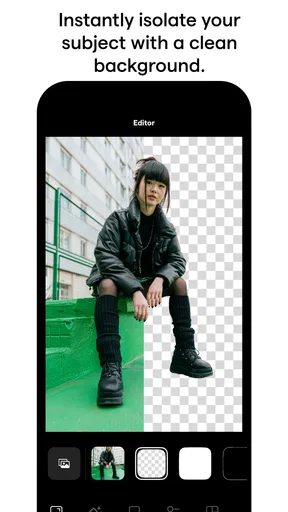
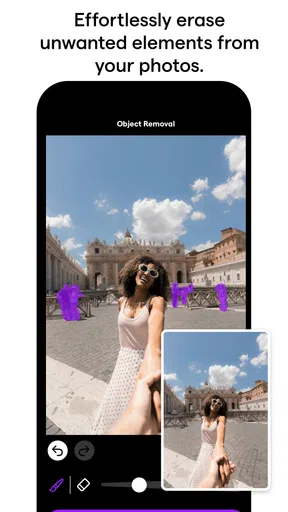
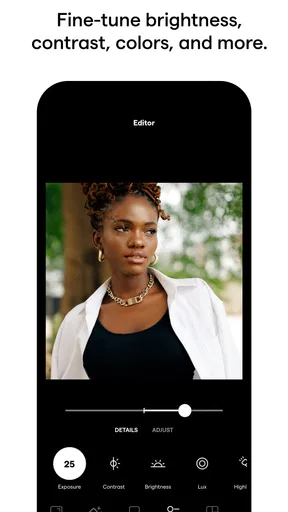
This app packs a punch with its wide array of editing tools. From basic adjustments like cropping and resizing to advanced editing options like color correction and background blur, InstaSize has it all. The AI-powered tools are quite impressive, automatically enhancing your photos with the tap of a button.
Worth Reading Before You Choose

EA SPORTS FC Mobile 26 Is a Bigger Football Game, but It Takes Time

Flipboard Shows What News Apps Must Do Beyond the Feed

Switching to Android Auto Means Rethinking Your Driving Routine

Google Calendar Makes a Crowded Week Easier to Manage

Ludo King Makes the Most of the Minutes Between Plans

Baby Panda World Brings Quick Play to Modern Phones, but Its Game Library Feels Busy
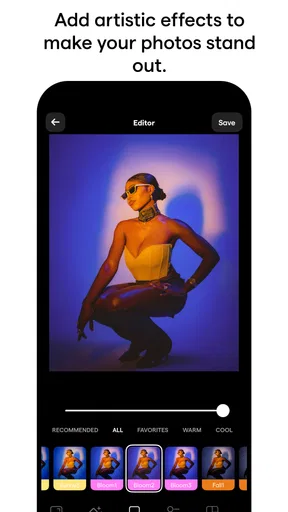
One feature I particularly love is the filters. With a variety of styles to choose from, you can easily match the mood you want to convey. Whether it’s a vintage look or a vibrant pop of color, InstaSize has got you covered. And the best part? You can adjust the intensity of each filter, giving you full control over the final result.
Making a quick edit look intentional
A useful way to approach the automatic enhancement is as a first pass, not a final decision. I would compare the result with the original before moving on: an edit that makes a dim indoor picture brighter may also make skin tones or bright areas look too strong. If the one-tap treatment gets close, I can then ease back the filter or make a restrained adjustment rather than stacking effects simply because they are available. That small pause helps preserve the character of the photo.
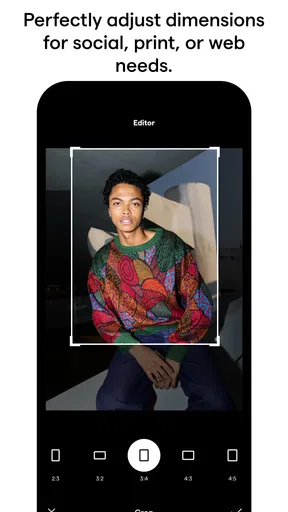
Cropping is another place where a little planning saves time. Before changing the frame, I would decide what needs to remain visible at thumbnail size: a face, a dish, or the main subject in a travel shot. Then I would choose the crop around that focal point, rather than centering everything by habit. This is especially useful when adapting one image for different social formats; a crop that works for a portrait may cut off context in a wider composition.
Perfect for Social Media Enthusiasts
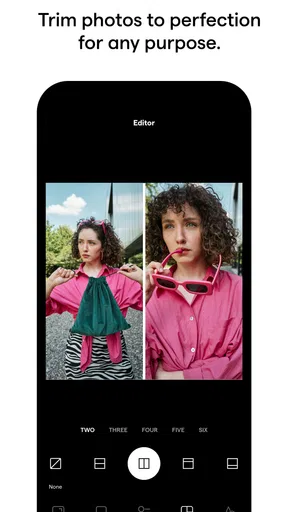
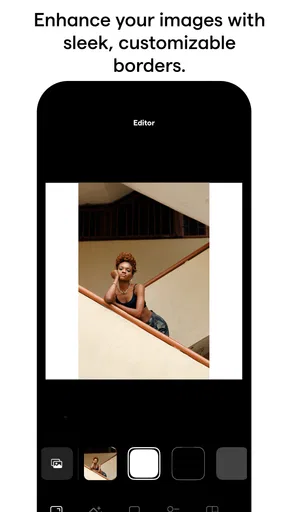
For those of us who love sharing moments on social media, InstaSize offers some nifty tools tailored just for that. The collage maker feature allows you to combine multiple photos into one, creating stunning layouts that are perfect for Instagram or Facebook.
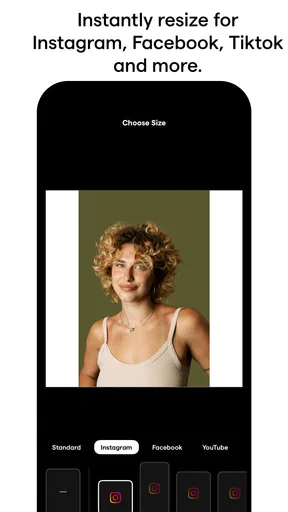
Additionally, the app provides a variety of aspect ratios, ensuring your photos are optimized for any platform. No more cropping out important details – InstaSize has your back! Plus, with the added text and overlay options, you can add captions and stickers to make your posts stand out even more.
A practical collage and sharing routine
For a realistic everyday example, imagine I have a few pictures from a family lunch and want to share the moment without posting every frame separately. I would pick images that tell different parts of the story—a group shot, a close-up of the food, and one candid detail—then use the collage maker to give them a single, readable arrangement. The trick is to avoid choosing several nearly identical shots: variety makes the collage feel like a small narrative, while too many similar frames make it busy.
Text and overlays can help when a post needs context, but I would keep them secondary to the pictures. A short label can clarify where or when a moment happened; a large caption laid over a face competes with the subject. I would also check the finished collage at a smaller preview size before sharing. Fine details that look clear while editing may become hard to read when the image is viewed in a feed.
Aspect ratios are convenient, but they do not remove the need to check the edges. I would inspect every face, hand, and important object after changing the format, especially if the source image is already tightly framed. The useful trade-off is speed versus composition: preset framing can save effort, while a manual crop may be better when preserving a particular detail matters more than fitting a standard shape.
Where other editors may fit better
Compared with a basic photo app that only offers a few adjustments, InstaSize puts cropping, filters, collages, and social presentation in one place. That makes it appealing when I want a finished post rather than a technically precise edit. A phone’s built-in editor can still be the quicker choice for a simple brightness tweak or a crop if I do not need a collage or added styling. There is little reason to open a separate app when the change is tiny and the original already looks right.
On the other hand, someone who wants to work carefully with layers, masks, or detailed local corrections may prefer a dedicated advanced editor. Those tools can provide more control, but they also demand more attention and learning. InstaSize’s value is its accessible, presentation-focused approach, not a promise to replace every kind of photo software. I would choose based on the edit I actually make most, rather than assuming one app has to do everything.
It may also be the wrong fit for someone who prefers an unedited, documentary look. Filters and enhancement can be useful, but a restrained crop or no edit at all is sometimes the best choice. If my priority is preserving a photo exactly as it came from the camera, I would avoid applying automatic changes just to use the app; opening an editor does not mean every image needs a treatment.
Who is likely to enjoy it
I can see InstaSize working well for casual creators, people who regularly share personal photos, and anyone who often needs a collage or a quick framing adjustment. It is also approachable for a first-time editor who wants to experiment with filters without starting with a complicated interface. The app has been available since December 26, 2012, and has reached over 50 million installs, so it is clearly familiar to a large audience. It is rated for Everyone, and version 5.2.0 requires Android 6.0 or later.
I would be more cautious if I were choosing an editor for professional client work, precise retouching, or a carefully controlled visual style across a large collection. In those cases, consistency and fine control matter more than getting a shareable result quickly. I would also skip it if I rarely edit photos and only need the occasional crop; the editor already on my device may be enough.
What switching into a new workflow really costs
Trying an editor is easy; making it part of a routine is the bigger commitment. When I move between apps, I have to remember where I made a crop, which version I intended to share, and whether I have kept an untouched original. My practical habit would be to finish one image at a time, compare the final result with the source, and avoid creating several near-duplicates unless I have a clear reason. That makes it easier to choose the right file later.
I would also spend a short first session learning which tools I actually use instead of browsing every effect. For example, I might test a crop, one filter at a reduced intensity, and a small collage. If those tasks feel straightforward, the app has earned a place in my routine. If I find myself repeatedly wishing for more exact controls, that is a good sign to switch to a specialist tool rather than spending time trying to force a quick editor into a different role.
Why InstaSize Stands Out
What makes InstaSize: AI Photo Editor a standout in a sea of photo editing apps? It’s the seamless integration of AI technology with user-friendly design. The app does a fantastic job of simplifying complex edits, making it accessible to everyone.
Moreover, the app is constantly updated with new features and improvements, which means it keeps getting better over time. And let’s not forget the community aspect; you can discover edits from other users and get inspired for your next masterpiece.
My recommendation
For me, the strongest reason to choose InstaSize is the combination of photo presentation tools in a phone-friendly setting. If I were regularly making collages, adjusting crops, or applying a light visual style before sharing, I would try it and see whether its controls match my habits. I would begin with edits I can evaluate easily, keeping the original in mind and resisting the urge to add effects that do not improve the image.
I would not recommend it as a universal replacement for a device’s built-in editor or a more specialized photo tool. Its appeal is clearest when I want a polished, social-ready result with minimal fuss. If precision editing is my main goal, another category of app is likely a better fit; if quick creative presentation is the goal, InstaSize is a sensible option to explore.
Wrapping It Up
Overall, InstaSize is a solid choice for anyone looking to enhance their photos with ease. Whether you're a casual user or a social media influencer, this app offers a comprehensive suite of tools that cater to all your editing needs. Its combination of simplicity, power, and creativity makes it a must-have on your device.
So, if you’re ready to take your photo game to the next level, give InstaSize a shot. You might just find yourself wondering how you ever edited photos without it. Happy editing!
Pros
- Intuitive interface for easy editing.
- Wide range of filters and effects.
- AI enhancements improve photo quality.
- Supports high-resolution exports.
- Seamless integration with social media.
Cons
- Premium features require subscription.
- Occasional ads can be intrusive.
- Limited free filter options.
- Requires internet for some features.
- Can be resource-heavy on older devices.
FAQs for InstaSize: AI Photo Editor
What features does InstaSize: AI Photo Editor offer?
InstaSize: AI Photo Editor provides a comprehensive suite of tools for editing photos, including AI-powered enhancements, filters, cropping, and resizing options. Users can also add text, adjust brightness, contrast, and saturation, and utilize templates for social media posts. The app supports both photo and video editing, making it versatile for content creators.
Is InstaSize: AI Photo Editor free to use?
Yes, InstaSize: AI Photo Editor offers a free version with basic editing features. However, for access to premium filters, advanced editing tools, and an ad-free experience, users can opt for a subscription model. This premium version enhances the app's functionality, making it more suitable for professional editing needs.
How does the AI technology enhance photo editing in InstaSize?
The AI technology in InstaSize analyzes your photos to automatically enhance them by adjusting colors, lighting, and other elements for optimal results. This means users can achieve professional-looking edits with minimal effort. The AI can also suggest the best filters and effects to complement the image’s natural aesthetics.
Can InstaSize handle video editing as well?
Yes, InstaSize is not limited to just photos; it also supports video editing. Users can trim, crop, and apply filters to their videos. The app allows for the addition of music and text overlays, making it a powerful tool for creating engaging video content for social media platforms like Instagram and TikTok.
Is InstaSize user-friendly for beginners?
InstaSize is designed with an intuitive interface that caters to both beginners and experienced users. The app offers guided tutorials and easy-to-use tools that simplify the editing process. Its user-friendly design ensures that even those new to photo editing can create stunning visuals without a steep learning curve.


